Cats Lock for Mac: A Q&A Guide to Cat-Proofing Your Keyboard
If you share your workspace with a feline friend, you've likely experienced the frustration of a cat lounging on your Mac keyboard. Whether drawn by the warmth or a desire for attention, cats can trigger unintended keystrokes, disrupt your workflow, and even create annoying beeping sounds. Enter Cats Lock, a clever macOS app designed to protect your work and possibly give your cat a gentle hint to move. Below, we answer common questions about this handy tool.
What exactly is Cats Lock, and how does it work?
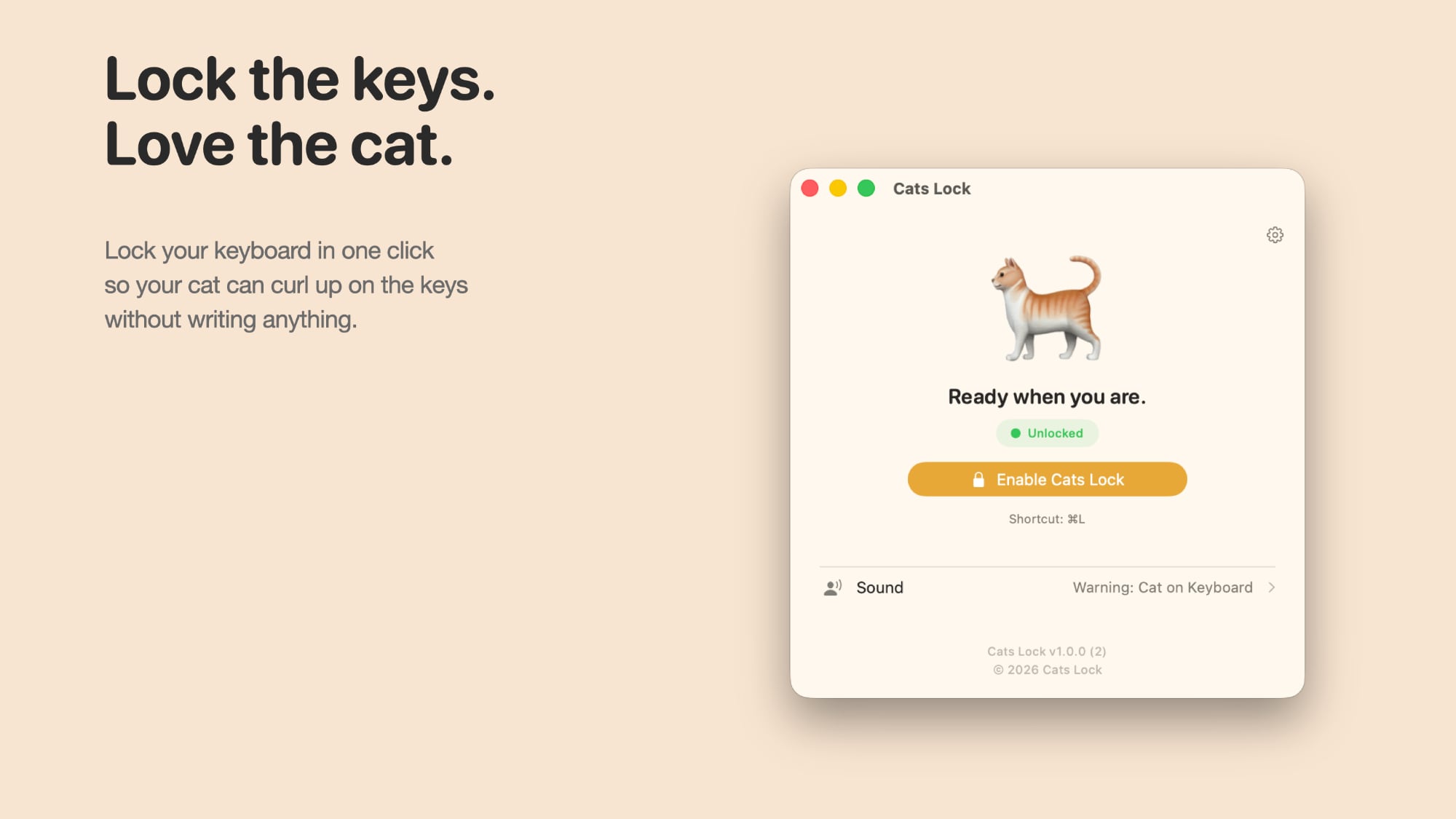
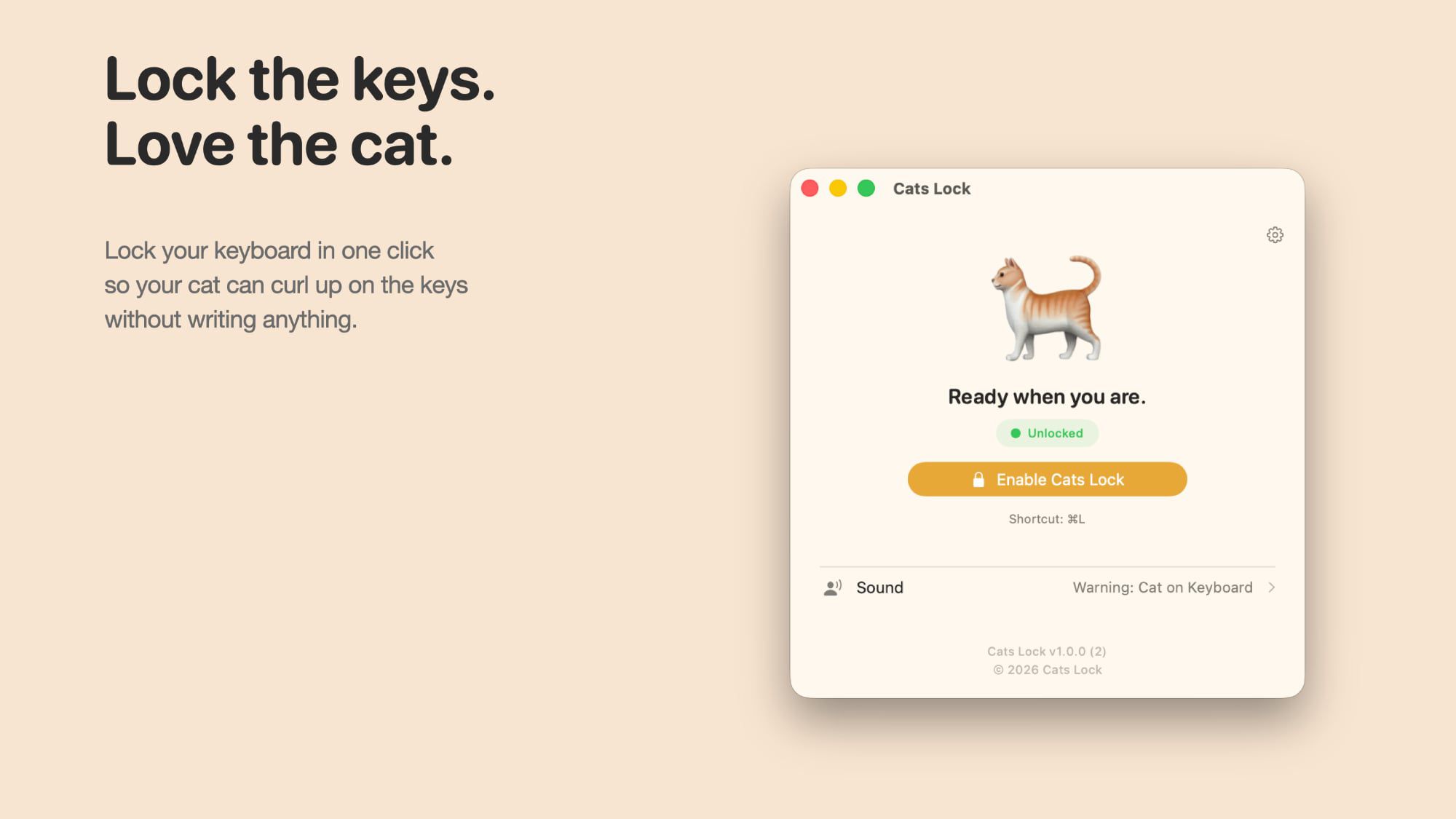
Cats Lock is a lightweight macOS application that temporarily disables your keyboard to prevent cats—or any accidental touches—from causing chaos. With a simple click on the menu bar or a customizable keyboard shortcut, you can activate a lock that blocks all key inputs. This stops your cat from opening unexpected menus, deleting files, or triggering strange shortcuts you didn't know existed. The app stays active until you manually turn it off, offering peace of mind when you step away from your desk.
What features does Cats Lock offer to protect my Mac?
Beyond basic key blocking, Cats Lock includes several thoughtful features. One option cuts all system sound, so persistent beeping when a cat holds down a key becomes a thing of the past. Additionally, you can set the app to play a loud noise—such as a barking dog, vacuum cleaner, or hissing cat—whenever your feline friend steps onto the keyboard. This can serve as a deterrent even when you're not in the room. For extra personalization, you can upload your own sounds, like a recorded scolding or a favorite noise.
Can Cats Lock actually deter my cat from sitting on the keyboard?
While Cats Lock doesn't physically remove your cat, its sound deterrent feature can encourage them to jump off. By emitting startling noises like a hissing cat or barking dog (upload your own if you prefer), the app may condition your cat to associate the keyboard with unpleasant sounds. However, effectiveness varies—some cats might be unbothered or even curious. It's best used in combination with other strategies, like providing a warm alternative spot. The app's primary goal is to safeguard your work, but the audio deterrent is a bonus for cat owners seeking peace.
How does Cats Lock handle sleep mode? Will I get locked out?
A smart design feature ensures Cats Lock automatically deactivates when your Mac goes to sleep. This prevents you from being locked out after waking your computer, since the app turns off alongside sleep mode. You'll need to re-enable it manually each time you want protection. This balance keeps the app convenient and unobtrusive, avoiding the hassle of fiddling with settings every time you resume work.
Where can I download Cats Lock, and how much does it cost?
Cats Lock is available for purchase on the Mac App Store for just $2.99. This one-time fee gives you full access to all features, including sound customization and keyboard shortcuts. As a native macOS app, it integrates smoothly with your system and requires no complex setup. Simply search for “Cats Lock” in the App Store or visit the link on MacRumors to grab your copy.